
Security Awareness On Autopilot
Describe your goals in a conversation, and AI designs, publishes and runs a complete phishing and training program tailored to your organization.


A Complete Program
From A Single Conversation
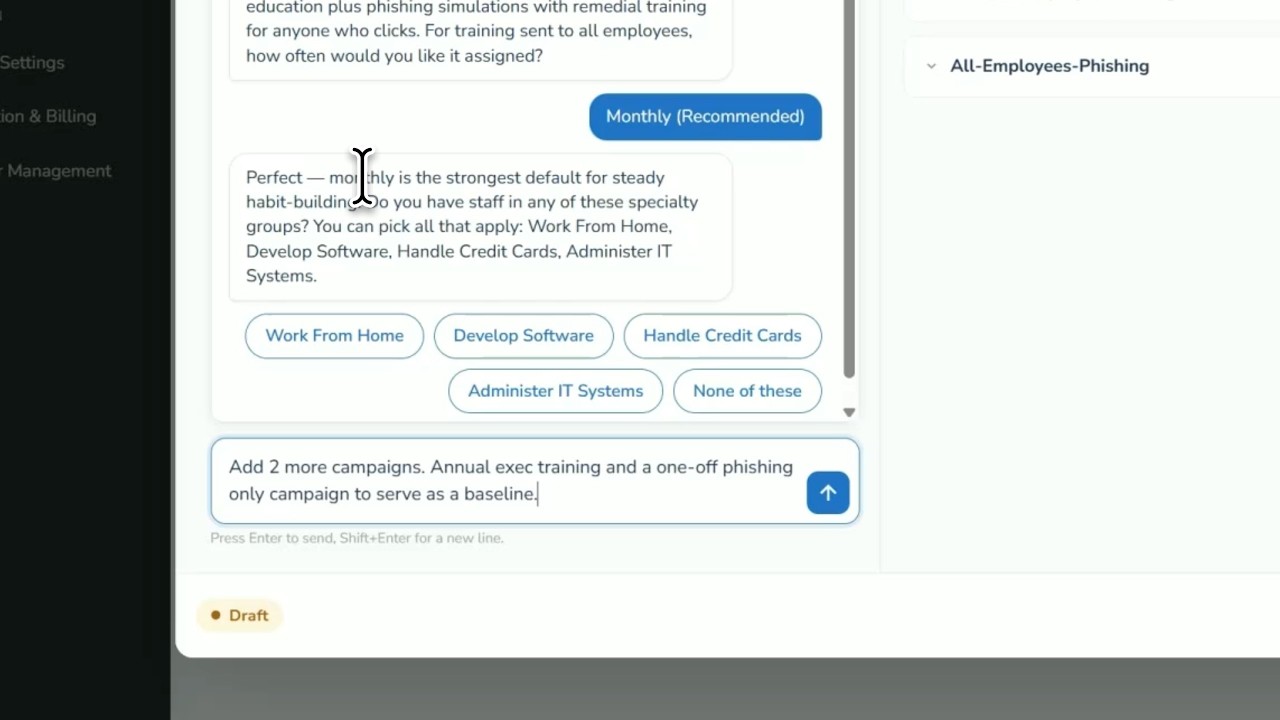
- Design programs through a guided AI chat
- Tailor campaigns to your organization's context
- Let AI run and adapt the program over time
Tell The AI What You Want To Achieve
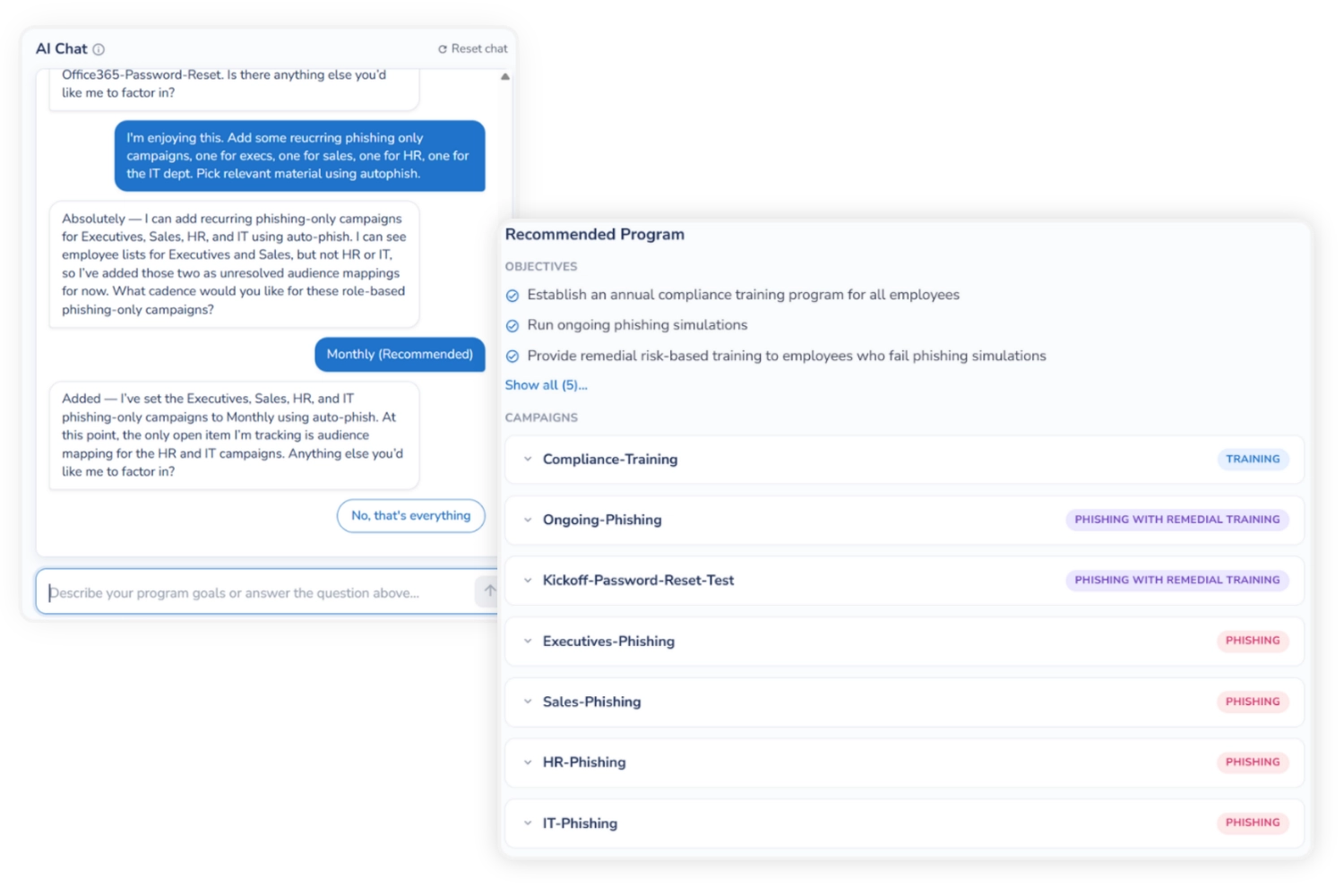
- Phishing, Training Or Both - Choose the type of program you want, then refine it by simply chatting.
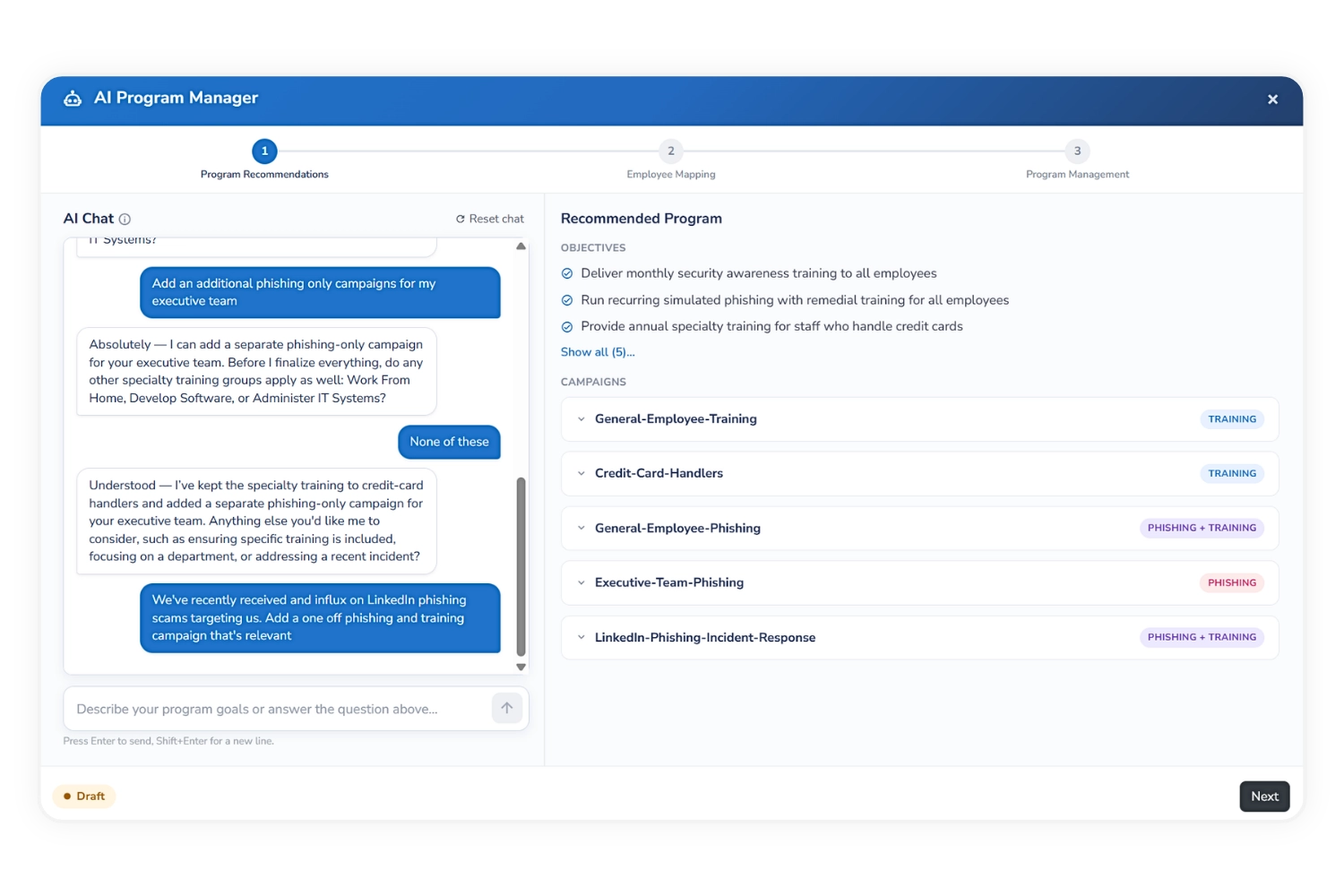
- Objectives And Campaigns In Real Time - Watch recommended goals and the campaigns needed to achieve them build as the conversation progresses.
- Review Every Campaign - See each campaign's frequency, scope, expected outcome and content, and ask the AI to add, remove or adjust any of them.
- Content Picked Per Employee - Auto-Phish and Auto-Train select the most appropriate email or module for each employee at the moment of delivery.
Deep Context About Your Organization
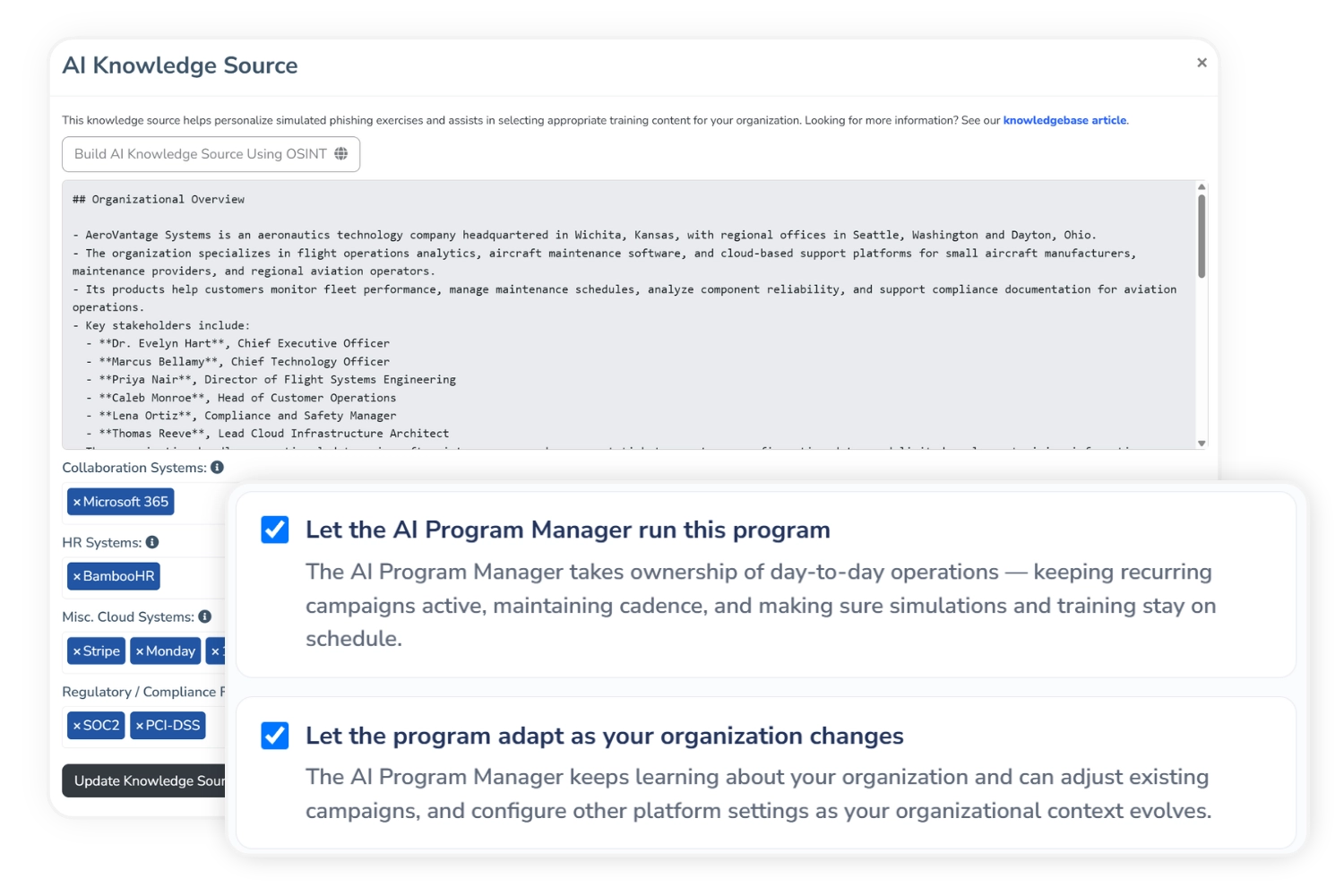
- A Profile Built From Open Sources - An AI-powered scan builds a picture of your organization: your industry, your key people, the platforms you run on and relevant compliance frameworks.
- Simulations That Fit Your Stack - Phishing emails reference the tools your employees really use, from your HR system to your cloud and finance platforms, so a simulation lands like the real thing rather than a generic test.
- Risk-Aware At The Employee Level - AI-Powered Employee Profiling factors each person's risk into the program, so every employee has an experience tailored to them.
- Context Behind Every Decision - The AI draws on all of it when recommending objectives, campaigns and content, and keeps learning as your organization changes.
From Conversation To Live Program
1. Describe Your Goals In Plain Language
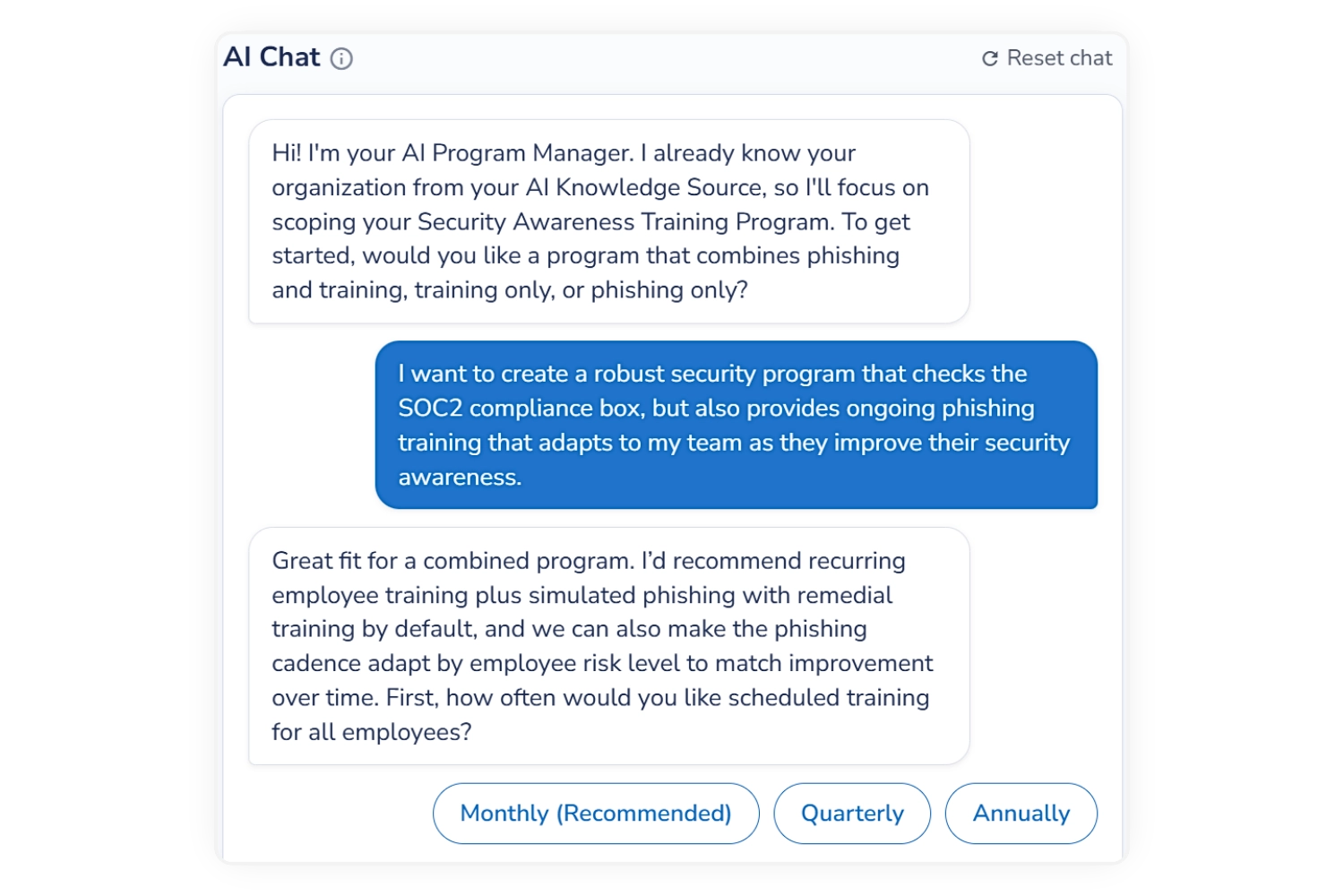
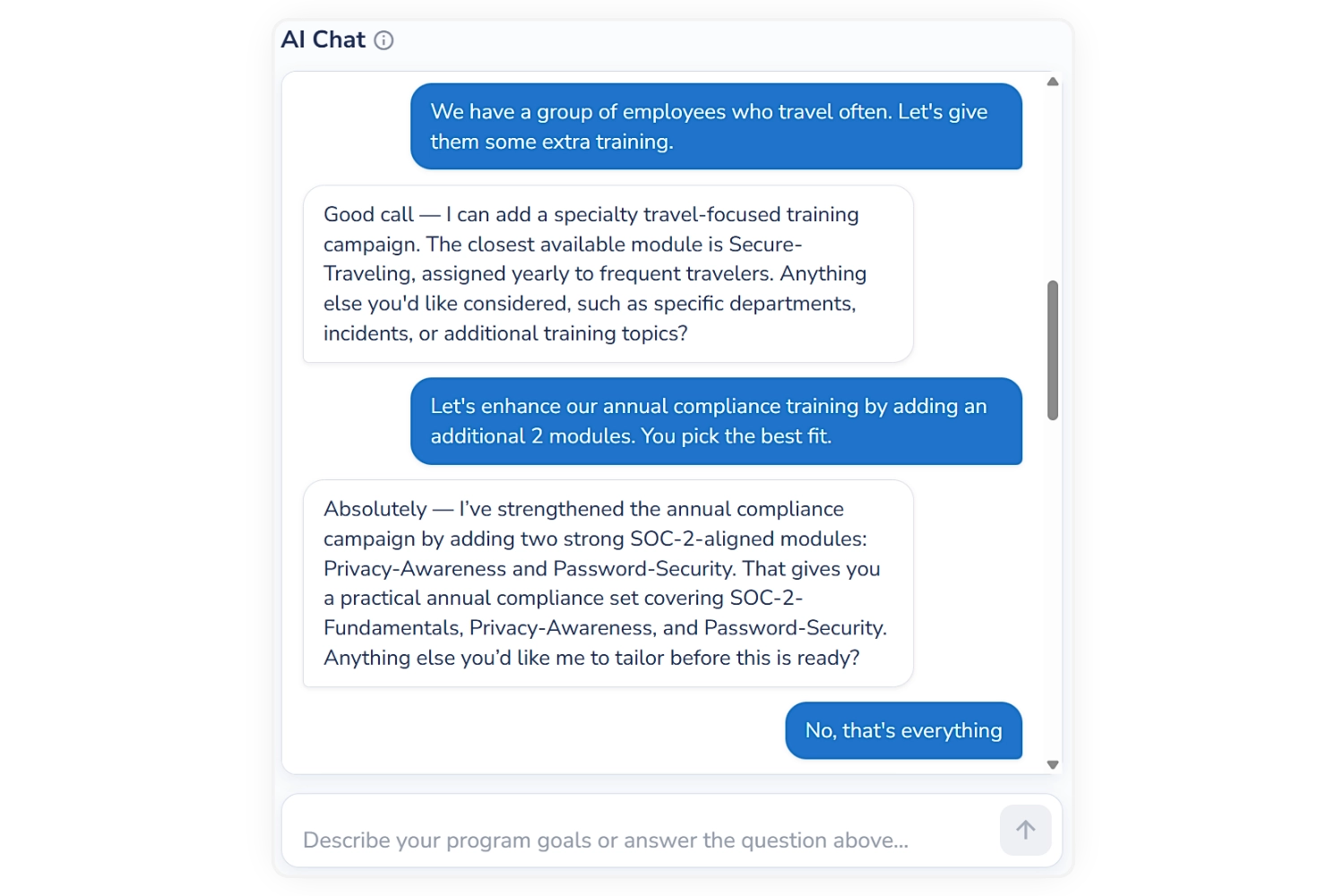
Start by telling the AI what you want to achieve, in your own words. It guides you with questions and quick-reply options, then recommends the objectives and phishing and training campaigns needed to get there.
2. Refine Your Program Through Chat
Follow its guidance or, ask the AI to add, remove or adjust campaigns until the program is exactly what you want.
3. Turn Your Plan Into Live Campaigns
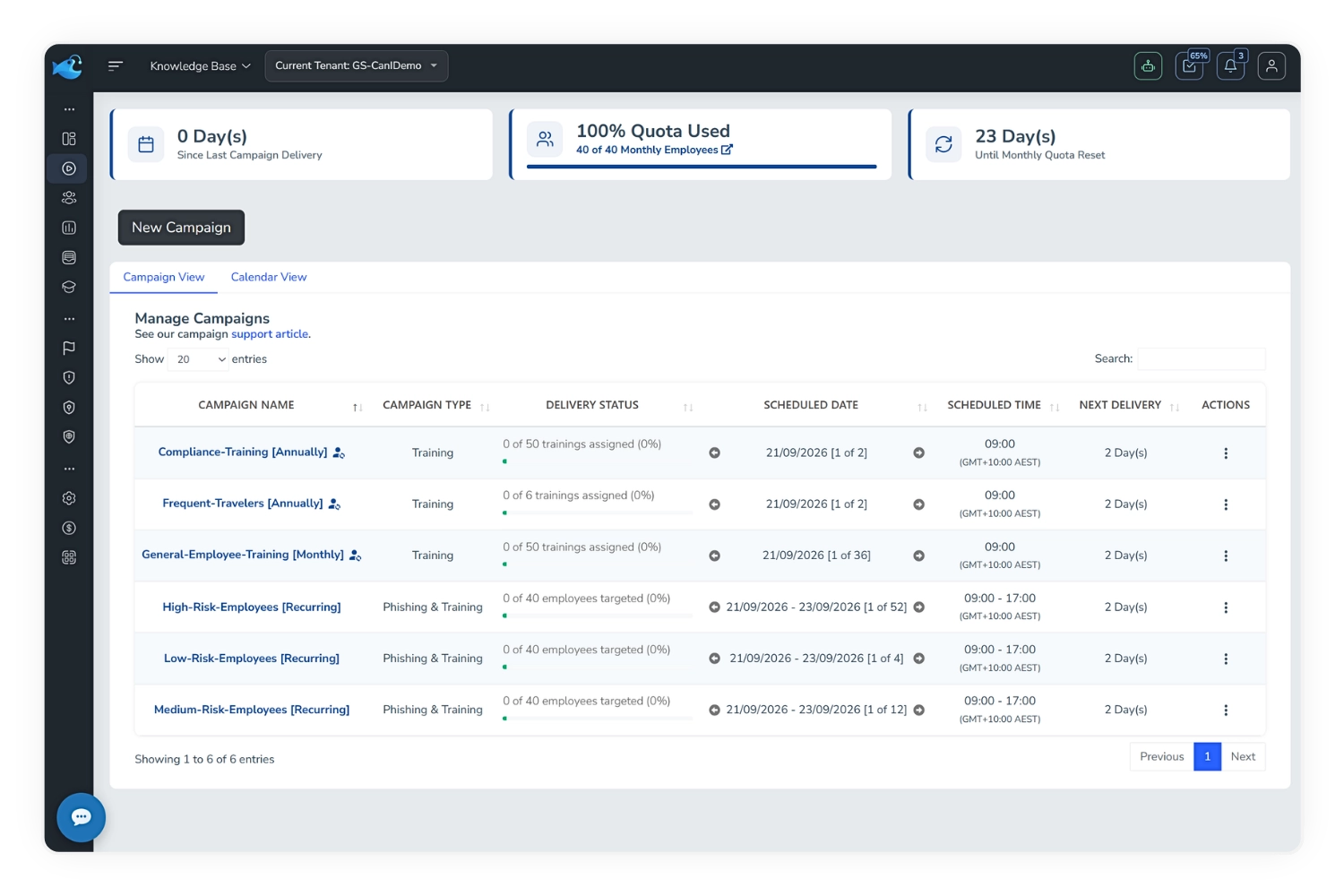
The program you built together is turned into real phishing and training campaigns in the platform. Come back anytime to refine or adjust.
Built For Hands-Off Programs
You Stay In Control
Significant changes still require your approval, and chat changes only apply when you update the program.
A Security & Platform Expert In One
The AI knows your organization, your goals and every capability the platform has, so you can talk it through like you would an expert who knows both.
Pick Up Where You Left Off
Your conversation, program and progress save automatically, so you can close the window and return any time.
Role-Based Access
Only Platform Admins and Super Admins can open the AI Program Manager.
Adapts As You Change
The program evolves with your organization and risk profile, instead of going stale after launch.
Full Program Summary
Review every objective, campaign and assigned employee list in one place before you publish.
Included With Enterprise. Your Program, Handled.
The AI Program Manager comes with Enterprise subscriptions as an added benefit, so your security awareness program keeps running without adding to your team's workload.
Create a free account-
Publish In MinutesDescribe your goals, map your employee lists and publish. Campaign creation starts immediately.
-
Tailored By AICampaigns are built around your industry, systems, compliance needs and employee risk.
-
Runs Without YouThe AI keeps campaigns on cadence and adapts the program, so you only step in when it matters.
Frequently Asked AI Program Manager Questions
The AI Program Manager is an Enterprise subscription feature, available to Platform Admins and Super Admins. On white-label domains, only the Platform Super Admin can open it.
An AI Knowledge Source and AI-Powered Employee Profiling. Both can be deployed or enabled directly from within the AI Program Manager. You'll also need a sender mail service configured so campaigns can be delivered.
Yes. Keep chatting with the AI, or adjust your management settings and schedule. Changes are applied to your live campaigns only when you click Update Program.
Turning off AI management when you publish or update is permanent. Once the program is handed back, its campaigns can be changed manually in ways the AI can't track, so it can't resume managing that program afterwards.
Click Deactivate Program. This archives all AI-managed campaigns and resets the AI Program Manager so you can design a new program. Deactivation can't be undone.
No. Your conversation, recommended program, current step, employee mapping and schedule are saved automatically, and restored when you reopen the AI Program Manager. Read the full guide.