
Stop Attackers Spoofing Your Domain
See exactly who is sending email as your domain, then move safely to DMARC enforcement without blocking your own invoices and password resets on the way.


Take Your Domain From Reporting
To Full Enforcement
- See every sender using your domain
- Get recommendations checked against your own reports
- Reach p=reject without losing real mail


Up And Running With One DNS Record
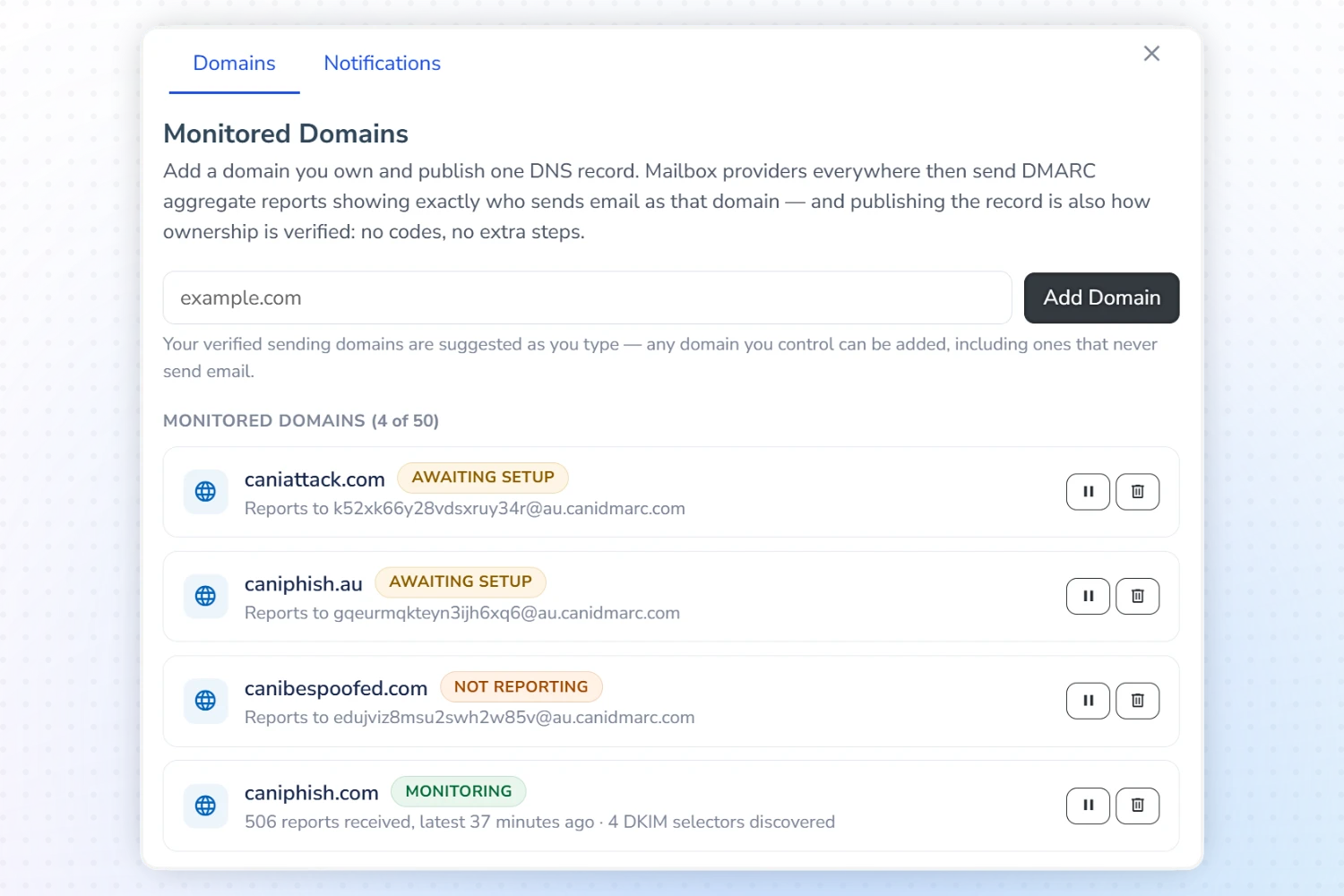
- Add Any Domain You Control - Including parked domains that send no mail, which are the easiest to spoof and the easiest to protect.
- Publish The Record We Compose - The Setup Wizard builds the exact TXT record, and adds our address to any existing report destinations instead of replacing them.
- Publishing Is The Verification - DNS is re-checked every 15 minutes, so your domain is usually verified within the hour with no codes or forms.
- We Never Change Your DNS - Every change is made by you, in your own zone, and can be undone by you at any time.
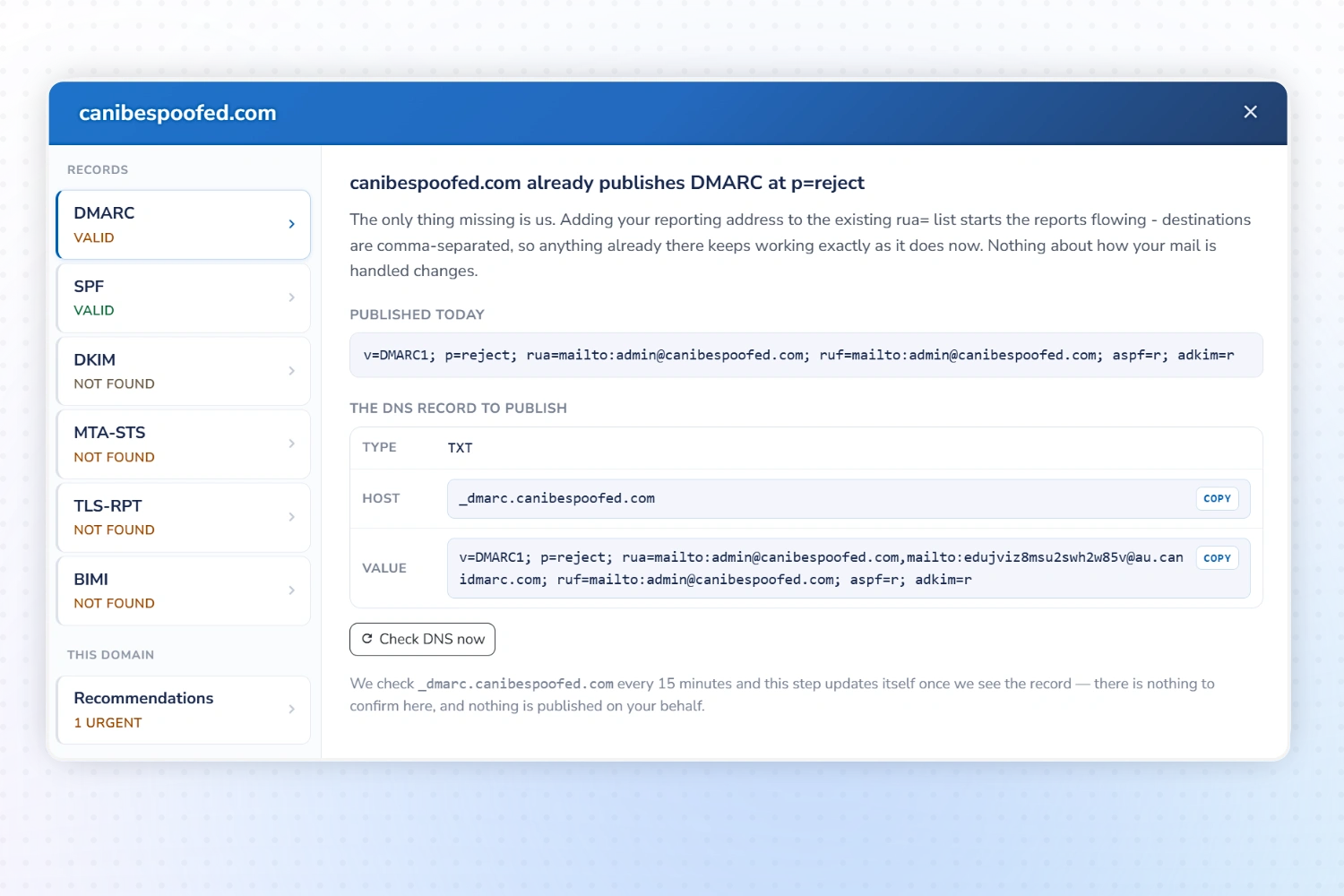
Every Email Authentication Record, Guided
- DMARC - Built from your choices, with the record updating live as you go.
- SPF - Your record is diagnosed and every fault is named, so you can fix it with confidence.
- DKIM - See every signing key we can find, how we found it and which are actually in use.
- MTA-STS & TLS-RPT - Require encryption on mail sent to you, and get reports when servers can't reach you securely.
- BIMI - Display your logo beside authenticated mail once your domain enforces DMARC.
From Visibility To Enforcement
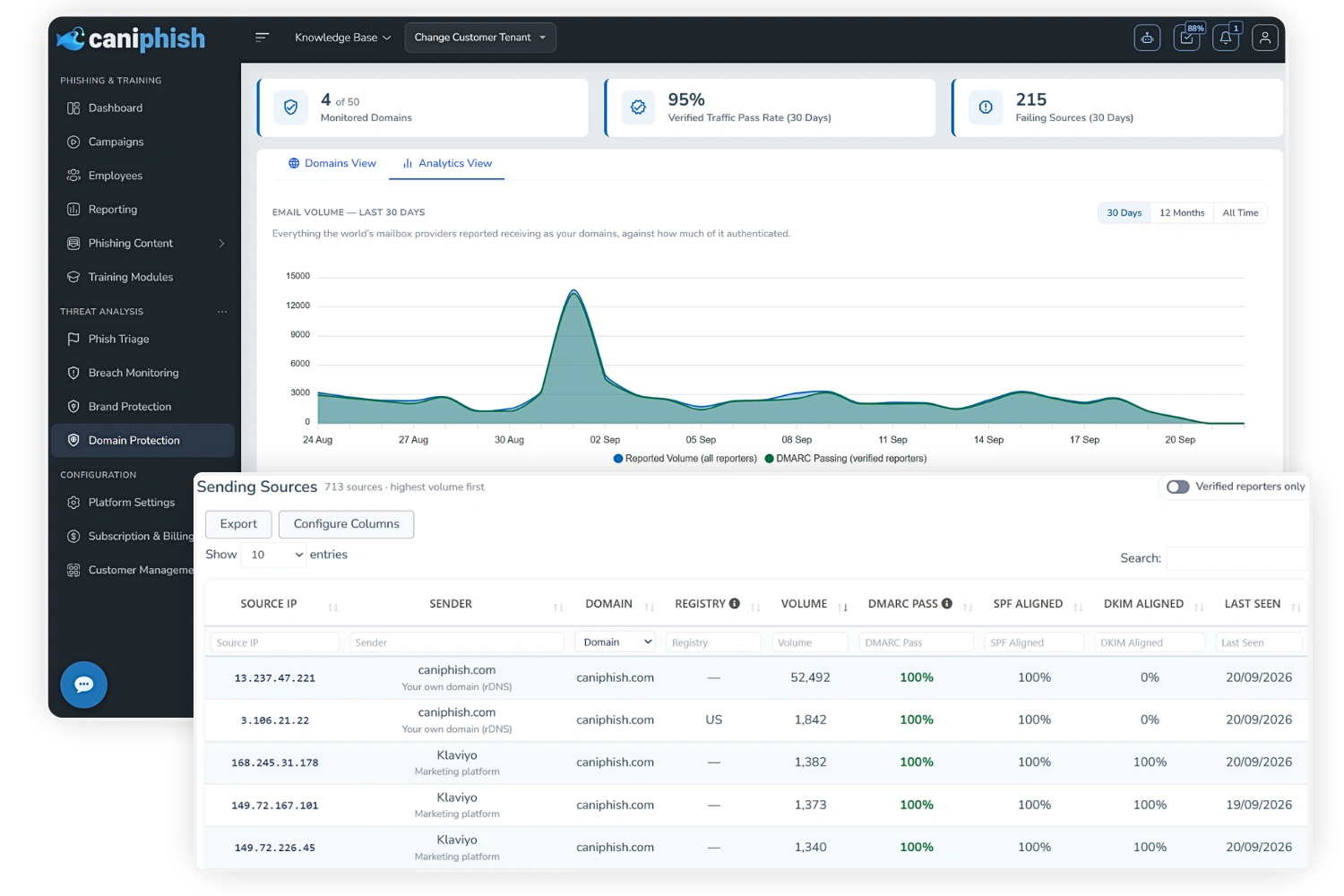
Know Exactly Who Sends As You
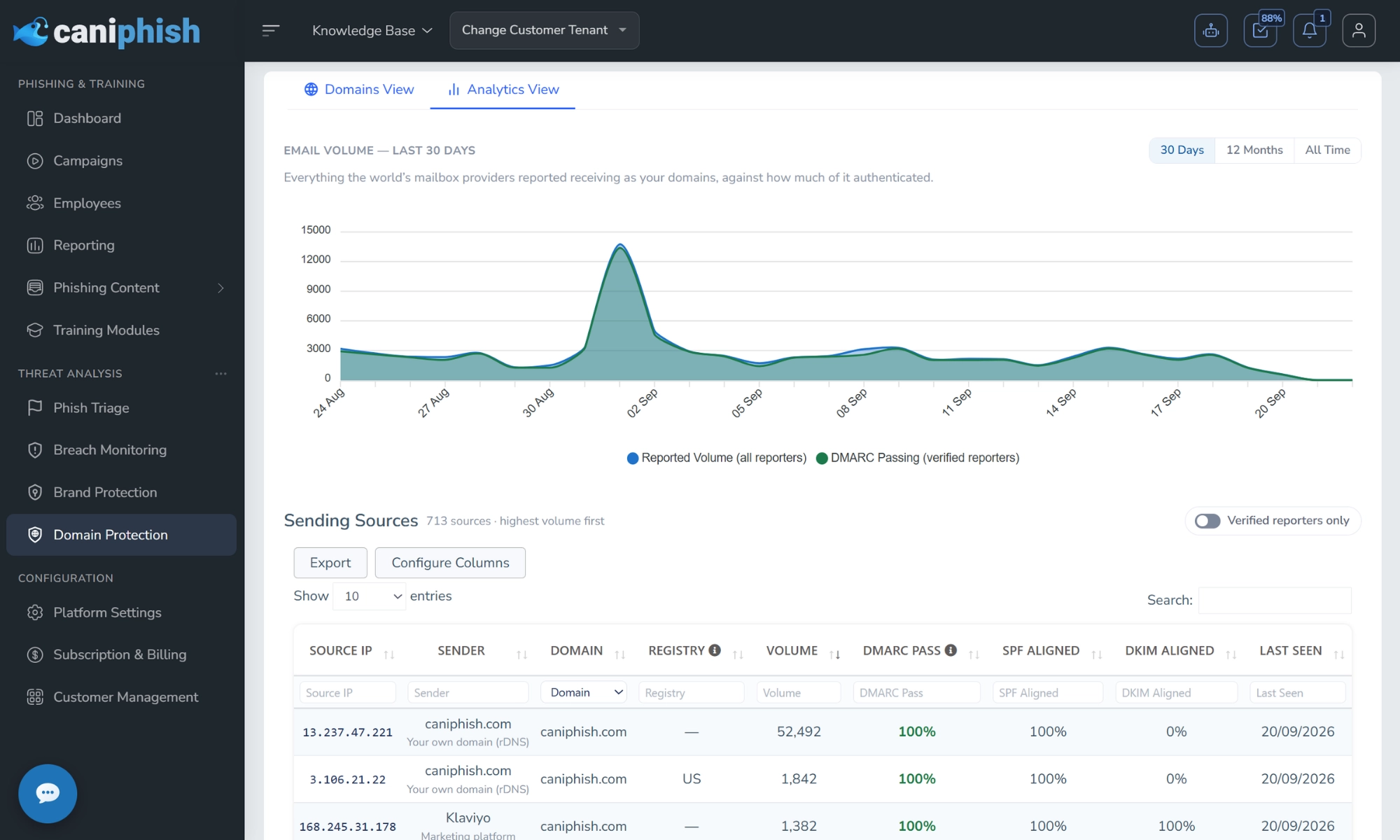
Mailbox providers' DMARC reports are parsed into one view across every domain. See your email volume against how much authenticated, and every sending source with who operates it, how much it sent and its pass rate. It's how you spot misconfigured systems of your own, and senders that aren't yours at all.
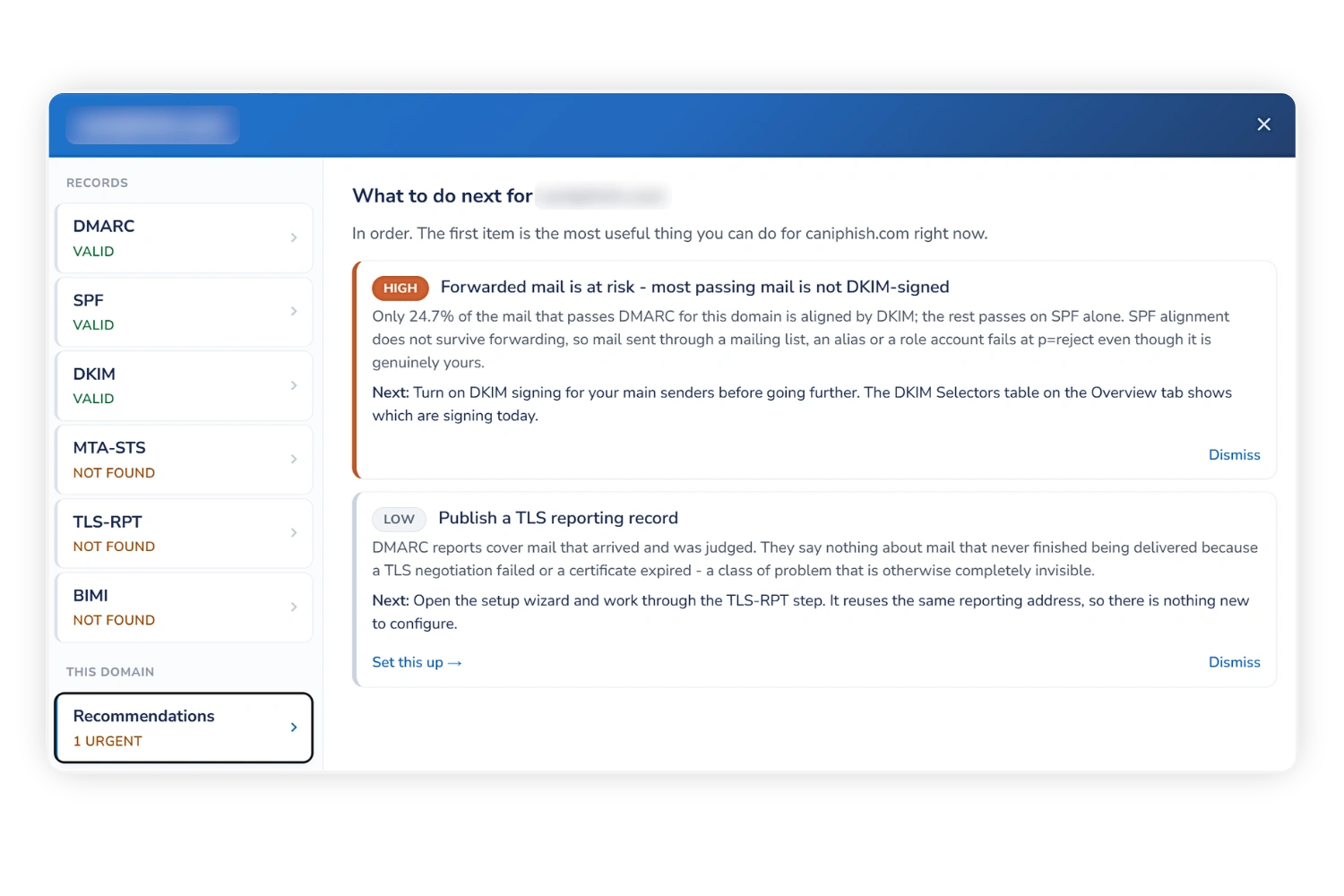
A Ranked To-Do List Built From Your Own Reports
Each domain carries a ranked list of what to do next, drawn from your own reporting rather than a generic checklist. Dismiss anything you've handled or decided against, and it only comes back if the underlying issue recurs.
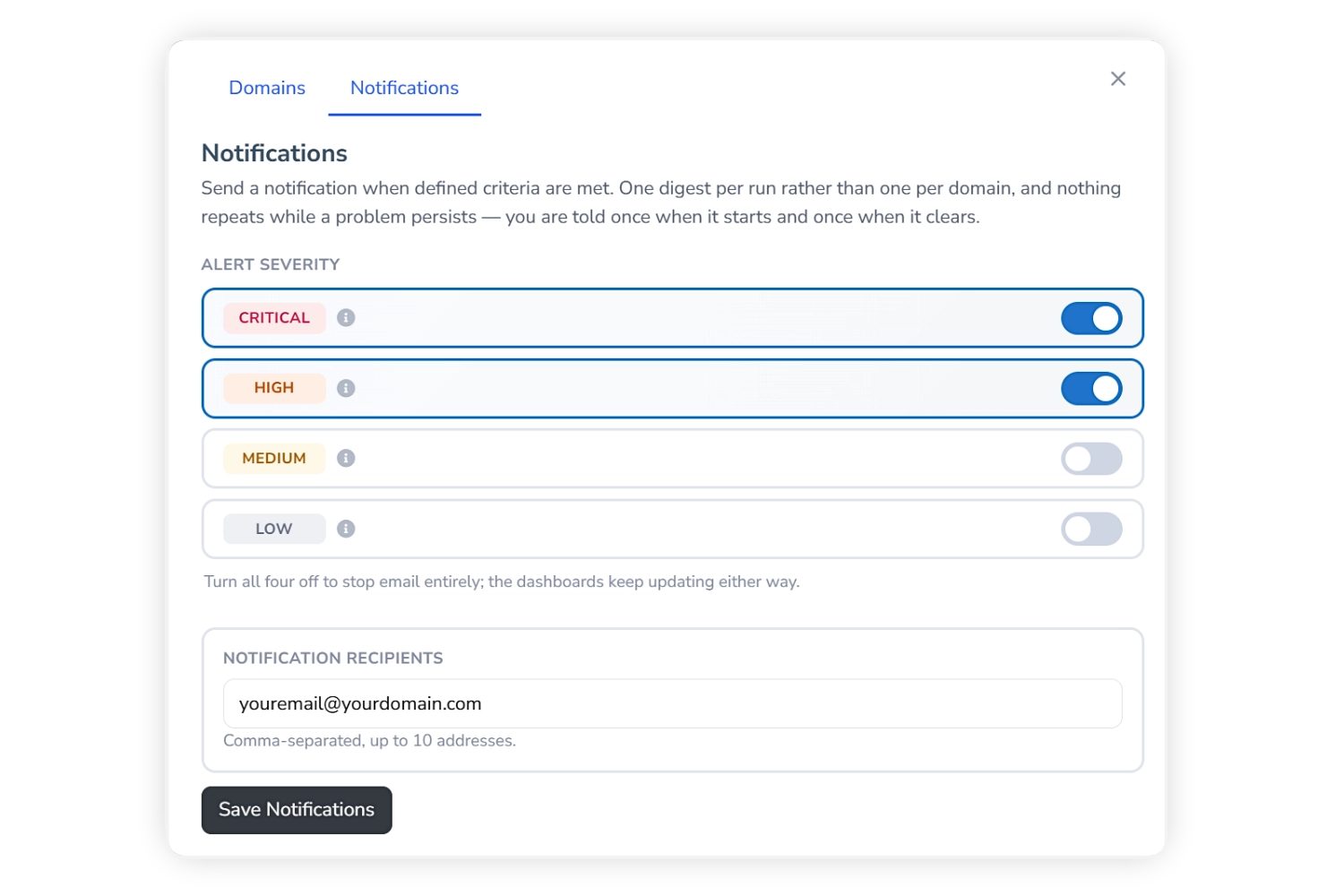
Know The Moment Something Changes
Get email alerts when something changes on a monitored domain, such as a policy being weakened, reporting stopping or a new problem being found. Choose which severities are worth an email, with Critical and High on by default.
Built For Every Domain You Own
Up To 50 Domains
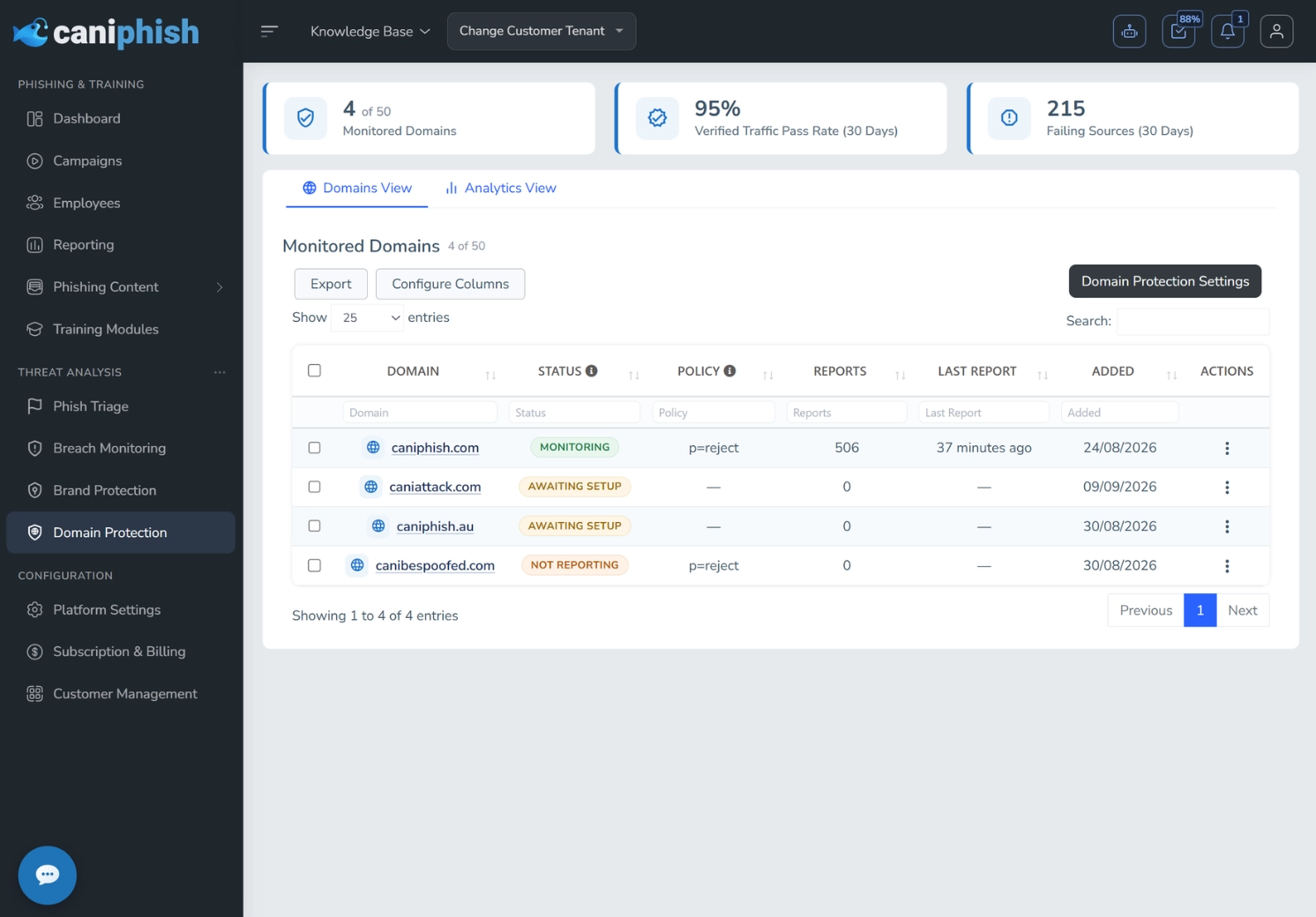
Monitor up to 50 sending or parked domains, with no limit on email volume.
13 Months Of History
Reports are retained for 13 months, so you can compare against the same period last year.
Quick Wins On Parked Domains
Domains that send no mail can go straight to reject, closing an open invitation to spoof them.
Works Alongside Other Providers
Our address is added to your existing report destinations, so your current tooling keeps working.
Private Reporting Addresses
Every domain gets its own reporting address, and report data is stored and shown per account.
Pause Without Losing Data
Pausing a domain takes it off your dashboards while reports keep arriving, so resuming loses nothing.
Included With Enterprise. Up To 50 Domains.
Domain Protection comes with Enterprise subscriptions as an added benefit, so you can drop the separate DMARC reporting tool you're paying for today.
Create a free account-
Verified Within The HourPublish one DNS record and your domain verifies itself. No codes, no forms.
-
Guided By Your Own DataEvery recommendation is checked against your reports before it reaches you.
-
Consolidate Your Security ToolsGet DMARC monitoring alongside your phishing and training, instead of paying for another platform.
Frequently Asked Domain Protection Questions
Domain Protection requires an Enterprise subscription, and includes up to 50 domains with no limit on email volume.
No. The record you publish starts at p=none, which asks receivers to report but change nothing. Delivery only changes when you decide to move to quarantine or reject, and that's a DNS edit you make yourself.
Your domain verifies within about 15 minutes of publishing the record. Most mailbox providers send reports once a day, so expect the first ones within 24 to 48 hours and a useful picture after a few days.
No. A DMARC record can name several report destinations, and each receives its own copy. The Setup Wizard adds our address to your existing list rather than replacing it, so your current tooling keeps working.
That's normal, and it's the point of DMARC reporting. Some of it is spoofing, a lot is legitimate mail you'd forgotten about, like a marketing platform or ticketing system, and some is your own mail being forwarded. The Analytics View helps you tell them apart before you enforce anything.
Because your reports don't support it yet, and moving early is how organizations lose real mail. We look for 21 days of history, mail seen on at least 14 separate days and at least 100 messages from recognized reporters, and always name the check that hasn't cleared. If you know your estate well, you can still move faster by hand. Read the full guide.